顯示具有 PowerISO 標籤的文章。 顯示所有文章

2013年10月28日 星期一

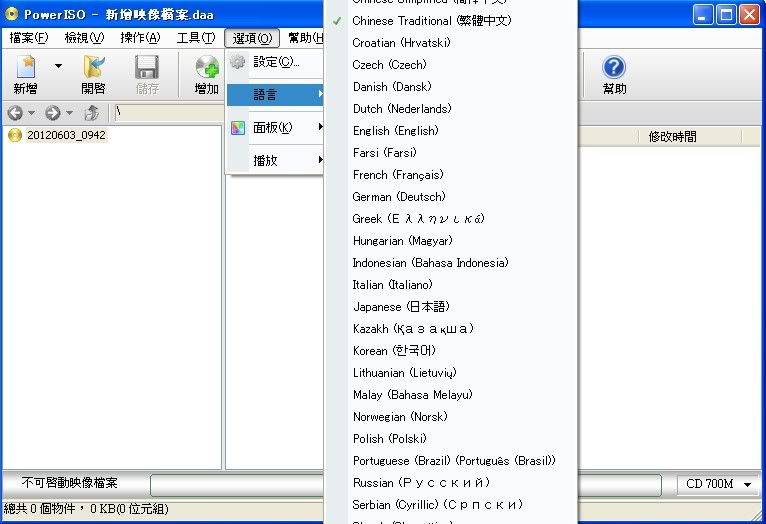
Portable PowerISO 5.8 (x86/x64) MultiLang

[軟體名稱] PowerISO
[版本語言] v5.8.0.0  繁中多語言(x86/x64)版
[官方網頁] www.poweriso.com
[隨身免裝] 7z x86 或 x86 / x64 或 x64 (3.0 MB)
[解壓密碼] 無
[軟體概要] ISO 檔案處理/製作工具軟體


PowerISO is a powerful CD / DVD / BD image file processing tool, which allows you to open, extract, burn, create, edit, compress, encrypt, split and convert ISO files, and mount ISO files with internal virtual drive. It can process almost all CD / DVD / BD image files including ISO and BIN files. PowerISO provides an all-in-one solution. You can do every thing with your ISO files and disc image files.

Main Features:
-Support almost all CD / DVD / BD-ROM image file formats (ISO, BIN, NRG, CDI, DAA and so on).
What is DAA file? DAA file (Direct-Access-Archive) is an advanced format for image file, which supports some advanced features, such as compression, password protection, and splitting to multiple volumes.
-Open and extract ISO file. You can extract ISO file with a single click.
-Burn ISO file to CD, DVD, or Blu-Ray disc. PowerISO is a professional burning software. With this tool, you can create Audio CD, Data CD, Data DVD, Video DVD or VCD. PowerISO also supports Blu-Ray burning.
-Burn Audio CD from MP3, FLAC, APE, WMA, or BIN files.
-Rip Audio CD to MP3, FLAC, APE, WMA, or BIN files.
-Create ISO file or BIN file from hard disk files or CD / DVD / BD discs. 
-Edit ISO image file directly.
-Mount ISO file with internal virtual drive. PowerISO can mount all popular disc image files to built-in virtual drive.
-Convert image files between ISO / BIN and other formats. PowerISO can not only convert BIN to ISO, but also convert almost all image file formats to standard ISO image file.
-Create bootable USB drive. PowerISO allows you to setup Windows through USB drive.
-Make bootable ISO file and create bootable CD, DVD disc.
-Support both 32-bit and 64-bit Windows.
-Can be used easily. PowerISO supports shell integration, context menu, drag and drop, clipboard copy paste

p.s.:隨身免裝
1--用WinRaR解壓到任何地方(或USB)為單一Portable_xxx.exe
2--此版為WinRaR壓縮製作,也可再用WinRAR將exe檔再次解壓為目錄
3--內附必要文件與說明

Portable,工具,隨身,軟體,繁中,免安裝,PowerISO

2013年7月30日 星期二

Portable PowerISO 5.7 MultiLang

[軟體名稱] PowerISO
[版本語言] v5.7.0.0  繁中(多語言)版
[官方網頁] www.poweriso.com
[隨身封裝] 7z 這裡 或 這裡 (5.1 MB)
[隨身免裝] 7z 這裡 或 這裡 (3.0 MB)
[解壓密碼] 無
[軟體概要] ISO 檔案處理/製作工具軟體


PowerISO is a powerful CD / DVD / BD image file processing tool, which allows you to open, extract, burn, create, edit, compress, encrypt, split and convert ISO files, and mount ISO files with internal virtual drive. It can process almost all CD / DVD / BD image files including ISO and BIN files. PowerISO provides an all-in-one solution. You can do every thing with your ISO files and disc image files.

Main Features:
-Support almost all CD / DVD / BD-ROM image file formats (ISO, BIN, NRG, CDI, DAA and so on).
What is DAA file? DAA file (Direct-Access-Archive) is an advanced format for image file, which supports some advanced features, such as compression, password protection, and splitting to multiple volumes.
-Open and extract ISO file. You can extract ISO file with a single click.
-Burn ISO file to CD, DVD, or Blu-Ray disc. PowerISO is a professional burning software. With this tool, you can create Audio CD, Data CD, Data DVD, Video DVD or VCD. PowerISO also supports Blu-Ray burning.
-Burn Audio CD from MP3, FLAC, APE, WMA, or BIN files.
-Rip Audio CD to MP3, FLAC, APE, WMA, or BIN files.
-Create ISO file or BIN file from hard disk files or CD / DVD / BD discs. 
-Edit ISO image file directly.
-Mount ISO file with internal virtual drive. PowerISO can mount all popular disc image files to built-in virtual drive.
-Convert image files between ISO / BIN and other formats. PowerISO can not only convert BIN to ISO, but also convert almost all image file formats to standard ISO image file.
-Create bootable USB drive. PowerISO allows you to setup Windows through USB drive.
-Make bootable ISO file and create bootable CD, DVD disc.
-Support both 32-bit and 64-bit Windows.
-Can be used easily. PowerISO supports shell integration, context menu, drag and drop, clipboard copy paste

p.s.1:隨身封裝
1--用WinRaR解壓到任何地方(或USB)為單一隨身版xxx(ThinApp).exe
2--此版為Thinstall封裝製作,解壓後無法再次解壓
3--已加註容許32位元的軟體執行於64位元,內附額外必要文件

p.s.2:隨身免裝
1--用WinRaR解壓到任何地方(或USB)為單一Portable_xxx.exe
2--此版為WinRaR壓縮製作,也可再用WinRAR將exe檔再次解壓為目錄
3--內附必要文件與說明

2013年7月12日 星期五

Portable PowerISO 5.6.Date Code 0907 MultiLang

[軟體名稱] PowerISO
[版本語言] v5.6.0.0 Date Code 0907  繁中(多語言)版
[官方網頁] www.poweriso.com
[隨身封裝] 7z 這裡 或 這裡 (5.2 MB)
[隨身免裝] 7z 這裡 或 這裡 (3.0 MB)
[解壓密碼] 無
[軟體概要] ISO 檔案處理/製作工具軟體


PowerISO is a powerful CD / DVD / BD image file processing tool, which allows you to open, extract, burn, create, edit, compress, encrypt, split and convert ISO files, and mount ISO files with internal virtual drive. It can process almost all CD / DVD / BD image files including ISO and BIN files. PowerISO provides an all-in-one solution. You can do every thing with your ISO files and disc image files.

Main Features:
-Support almost all CD / DVD / BD-ROM image file formats (ISO, BIN, NRG, CDI, DAA and so on).
What is DAA file? DAA file (Direct-Access-Archive) is an advanced format for image file, which supports some advanced features, such as compression, password protection, and splitting to multiple volumes.
-Open and extract ISO file. You can extract ISO file with a single click.
-Burn ISO file to CD, DVD, or Blu-Ray disc. PowerISO is a professional burning software. With this tool, you can create Audio CD, Data CD, Data DVD, Video DVD or VCD. PowerISO also supports Blu-Ray burning.
-Burn Audio CD from MP3, FLAC, APE, WMA, or BIN files.
-Rip Audio CD to MP3, FLAC, APE, WMA, or BIN files.
-Create ISO file or BIN file from hard disk files or CD / DVD / BD discs. 
-Edit ISO image file directly.
-Mount ISO file with internal virtual drive. PowerISO can mount all popular disc image files to built-in virtual drive.
-Convert image files between ISO / BIN and other formats. PowerISO can not only convert BIN to ISO, but also convert almost all image file formats to standard ISO image file.
-Create bootable USB drive. PowerISO allows you to setup Windows through USB drive.
-Make bootable ISO file and create bootable CD, DVD disc.
-Support both 32-bit and 64-bit Windows.
-Can be used easily. PowerISO supports shell integration, context menu, drag and drop, clipboard copy paste

p.s.1:隨身封裝
1--用WinRaR解壓到任何地方(或USB)為單一隨身版xxx(ThinApp).exe
2--此版為Thinstall封裝製作,解壓後無法再次解壓
3--已加註容許32位元的軟體執行於64位元,內附額外必要文件

p.s.2:隨身免裝
1--用WinRaR解壓到任何地方(或USB)為單一Portable_xxx.exe
2--此版為WinRaR壓縮製作,也可再用WinRAR將exe檔再次解壓為目錄
3--內附必要文件與說明

2013年7月5日 星期五

Portable PowerISO 5.6 MultiLang

[軟體名稱] PowerISO
[版本語言] v5.6.0.0   繁中(多語言)版
[官方網頁] www.poweriso.com
[隨身封裝] 7z 這裡 或 這裡 (5.1 MB)
[隨身免裝] 7z 這裡 或 這裡 (3.0 MB)
[解壓密碼] 無
[軟體概要] ISO 檔案處理/製作工具軟體


PowerISO is a powerful CD / DVD / BD image file processing tool, which allows you to open, extract, burn, create, edit, compress, encrypt, split and convert ISO files, and mount ISO files with internal virtual drive. It can process almost all CD / DVD / BD image files including ISO and BIN files. PowerISO provides an all-in-one solution. You can do every thing with your ISO files and disc image files.

Main Features:
-Support almost all CD / DVD / BD-ROM image file formats (ISO, BIN, NRG, CDI, DAA and so on).
What is DAA file? DAA file (Direct-Access-Archive) is an advanced format for image file, which supports some advanced features, such as compression, password protection, and splitting to multiple volumes.
-Open and extract ISO file. You can extract ISO file with a single click.
-Burn ISO file to CD, DVD, or Blu-Ray disc. PowerISO is a professional burning software. With this tool, you can create Audio CD, Data CD, Data DVD, Video DVD or VCD. PowerISO also supports Blu-Ray burning.
-Burn Audio CD from MP3, FLAC, APE, WMA, or BIN files.
-Rip Audio CD to MP3, FLAC, APE, WMA, or BIN files.
-Create ISO file or BIN file from hard disk files or CD / DVD / BD discs. 
-Edit ISO image file directly.
-Mount ISO file with internal virtual drive. PowerISO can mount all popular disc image files to built-in virtual drive.
-Convert image files between ISO / BIN and other formats. PowerISO can not only convert BIN to ISO, but also convert almost all image file formats to standard ISO image file.
-Create bootable USB drive. PowerISO allows you to setup Windows through USB drive.
-Make bootable ISO file and create bootable CD, DVD disc.
-Support both 32-bit and 64-bit Windows.
-Can be used easily. PowerISO supports shell integration, context menu, drag and drop, clipboard copy paste

p.s.1:隨身封裝
1--用WinRaR解壓到任何地方(或USB)為單一隨身版xxx(ThinApp).exe
2--此版為Thinstall封裝製作,解壓後無法再次解壓
3--已加註容許32位元的軟體執行於64位元,內附額外必要文件

p.s.2:隨身免裝
1--用WinRaR解壓到任何地方(或USB)為單一Portable_xxx.exe
2--此版為WinRaR壓縮製作,也可再用WinRAR將exe檔再次解壓為目錄
3--內附必要文件與說明

2012年12月26日 星期三

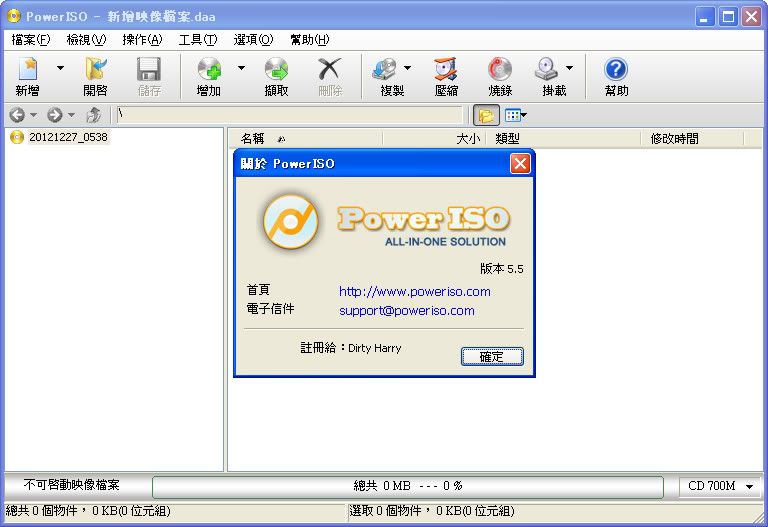
Portable PowerISO 5.5 TW

[軟體名稱] PowerISO
[版本語言] v5.5.0.0 (Dec 17, 2012)    繁中(多語言)版
[官方網頁] www.poweriso.com
[隨身封裝] 7z 這裡 (4.7 MB)
[隨身免裝] 7z 這裡 (2.7 MB)
[解壓密碼] 無
[軟體概要] ISO 檔案處理/製作工具軟體


PowerISO is a powerful CD / DVD / BD image file processing tool, which allows you to open, extract, burn, create, edit, compress, encrypt, split and convert ISO files, and mount ISO files with internal virtual drive. It can process almost all CD / DVD / BD image files including ISO and BIN files. PowerISO provides an all-in-one solution. You can do every thing with your ISO files and disc image files.

Main Features:
-Support almost all CD / DVD / BD-ROM image file formats (ISO, BIN, NRG, CDI, DAA and so on).
What is DAA file? DAA file (Direct-Access-Archive) is an advanced format for image file, which supports some advanced features, such as compression, password protection, and splitting to multiple volumes.
-Open and extract ISO file. You can extract ISO file with a single click.
-Burn ISO file to CD, DVD, or Blu-Ray disc. PowerISO is a professional burning software. With this tool, you can create Audio CD, Data CD, Data DVD, Video DVD or VCD. PowerISO also supports Blu-Ray burning.
-Burn Audio CD from MP3, FLAC, APE, WMA, or BIN files.
-Rip Audio CD to MP3, FLAC, APE, WMA, or BIN files.
-Create ISO file or BIN file from hard disk files or CD / DVD / BD discs. 
-Edit ISO image file directly.
-Mount ISO file with internal virtual drive. PowerISO can mount all popular disc image files to built-in virtual drive.
-Convert image files between ISO / BIN and other formats. PowerISO can not only convert BIN to ISO, but also convert almost all image file formats to standard ISO image file.
-Create bootable USB drive. PowerISO allows you to setup Windows through USB drive.
-Make bootable ISO file and create bootable CD, DVD disc.
-Support both 32-bit and 64-bit Windows.
-Can be used easily. PowerISO supports shell integration, context menu, drag and drop, clipboard copy paste

PowerISO 5.5 (Dec 17, 2012)
*) Improve DVD and Bluray disc burning.
*) Some minor bug fixes and enhancements.

p.s.1:隨身封裝
1--用WinRaR解壓到任何地方(或USB)為單一隨身版xxx(ThinApp).exe
2--此版為Thinstall封裝製作,解壓後無法再次解壓
3--已加註容許32位元的軟體執行於64位元,內附額外必要文件


p.s.2:隨身免裝
1--用WinRaR解壓到任何地方(或USB)為單一Portable_xxx.exe
2--此版為WinRaR壓縮製作,也可再用WinRAR將exe檔再次解壓為目錄
3--內附必要文件與說明

2012年10月31日 星期三

Portable PowerISO 5.4 DateCode 10.28.2012 MultiLang

[軟體名稱] PowerISO
[版本語言] v5.4.0.0 (Oct 28, 2012)    繁中(多語言)版
[官方網頁] www.poweriso.com
[隨身封裝] 7z mediafire (4.6 MB)
[隨身免裝] 7z mediafire (2.6 MB)
[解壓密碼] 無
[軟體概要] ISO 檔案處理/製作工具軟體


PowerISO is a powerful CD / DVD / BD image file processing tool, which allows you to open, extract, burn, create, edit, compress, encrypt, split and convert ISO files, and mount ISO files with internal virtual drive. It can process almost all CD / DVD / BD image files including ISO and BIN files. PowerISO provides an all-in-one solution. You can do every thing with your ISO files and disc image files.

Main Features:
-Support almost all CD / DVD / BD-ROM image file formats (ISO, BIN, NRG, CDI, DAA and so on).
What is DAA file? DAA file (Direct-Access-Archive) is an advanced format for image file, which supports some advanced features, such as compression, password protection, and splitting to multiple volumes.
-Open and extract ISO file. You can extract ISO file with a single click.
-Burn ISO file to CD, DVD, or Blu-Ray disc. PowerISO is a professional burning software. With this tool, you can create Audio CD, Data CD, Data DVD, Video DVD or VCD. PowerISO also supports Blu-Ray burning.
-Burn Audio CD from MP3, FLAC, APE, WMA, or BIN files.
-Rip Audio CD to MP3, FLAC, APE, WMA, or BIN files.
-Create ISO file or BIN file from hard disk files or CD / DVD / BD discs. 
-Edit ISO image file directly.
-Mount ISO file with internal virtual drive. PowerISO can mount all popular disc image files to built-in virtual drive.
-Convert image files between ISO / BIN and other formats. PowerISO can not only convert BIN to ISO, but also convert almost all image file formats to standard ISO image file.
-Create bootable USB drive. PowerISO allows you to setup Windows through USB drive.
-Make bootable ISO file and create bootable CD, DVD disc.
-Support both 32-bit and 64-bit Windows.
-Can be used easily. PowerISO supports shell integration, context menu, drag and drop, clipboard copy paste


p.s.1:隨身封裝
1--用WinRaR解壓到任何地方(或USB)為單一隨身版xxx(ThinApp).exe
2--此版為Thinstall封裝製作,解壓後無法再次解壓
3--已加註容許32位元的軟體執行於64位元,內附額外必要文件


p.s.2:隨身免裝
1--用WinRaR解壓到任何地方(或USB)為單一Portable_xxx.exe
2--此版為WinRaR壓縮製作,也可再用WinRAR將exe檔再次解壓為目錄
3--內附必要文件與說明

2012年8月28日 星期二

Portable PowerISO 5.4 (DateCode 08.27.2012)

[軟體名稱] PowerISO
[版本語言] v5.4.0.0 (Aug 27, 2012) 繁中(多語言)版
[官方網頁] www.poweriso.com
[隨身封裝] 7z mediafire (4.8 MB)
[隨身免裝] 7z mediafire (2.6 MB)
[解壓密碼] 無
[儲放時間] 免空限制 - 30 天無人下載自動刪除
[軟體概要] ISO 檔案處理/製作工具軟體


PowerISO is a powerful CD / DVD / BD image file processing tool, which allows you to open, extract, burn, create, edit, compress, encrypt, split and convert ISO files, and mount ISO files with internal virtual drive. It can process almost all CD / DVD / BD image files including ISO and BIN files. PowerISO provides an all-in-one solution. You can do every thing with your ISO files and disc image files.

Main Features:
-Support almost all CD / DVD / BD-ROM image file formats (ISO, BIN, NRG, CDI, DAA and so on).
What is DAA file? DAA file (Direct-Access-Archive) is an advanced format for image file, which supports some advanced features, such as compression, password protection, and splitting to multiple volumes.
-Open and extract ISO file. You can extract ISO file with a single click.
-Burn ISO file to CD, DVD, or Blu-Ray disc. PowerISO is a professional burning software. With this tool, you can create Audio CD, Data CD, Data DVD, Video DVD or VCD. PowerISO also supports Blu-Ray burning.
-Burn Audio CD from MP3, FLAC, APE, WMA, or BIN files.
-Rip Audio CD to MP3, FLAC, APE, WMA, or BIN files.
-Create ISO file or BIN file from hard disk files or CD / DVD / BD discs.
-Edit ISO image file directly.
-Mount ISO file with internal virtual drive. PowerISO can mount all popular disc image files to built-in virtual drive.
-Convert image files between ISO / BIN and other formats. PowerISO can not only convert BIN to ISO, but also convert almost all image file formats to standard ISO image file.
-Create bootable USB drive. PowerISO allows you to setup Windows through USB drive.
-Make bootable ISO file and create bootable CD, DVD disc.
-Support both 32-bit and 64-bit Windows.
-Can be used easily. PowerISO supports shell integration, context menu, drag and drop, clipboard copy paste

PowerISO 5.4 (Aug 27, 2012)
*) Improve Bluray disc burning.
*) Some minor bug fixes and enhancements.


p.s.1:隨身封裝
1--用WinRaR解壓到任何地方(或USB)為單一隨身版xxx(ThinApp).exe
2--此版為Thinstall封裝製作,解壓後無法再次解壓
3--已加註容許32位元的軟體執行於64位元,內附額外必要文件


p.s.2:隨身免裝
1--用WinRaR解壓到任何地方(或USB)為單一Portable_xxx.exe
2--此版為WinRaR壓縮製作,也可再用WinRAR將exe檔再次解壓為目錄
3--內附必要文件與說明


2012年8月20日 星期一

Portable PowerISO 5.4 MultiLang

[軟體名稱] PowerISO
[版本語言] v5.4.0.0 繁中(多語言)版
[官方網頁] www.poweriso.com
[隨身封裝] 7z mediafire (4.8 MB)
[隨身免裝] 7z mediafire (2.3 MB)
[解壓密碼] 無
[儲放時間] 免空限制 - 30 天無人下載自動刪除
[軟體概要] ISO 檔案處理/製作工具軟體


PowerISO is a powerful CD / DVD / BD image file processing tool, which allows you to open, extract, burn, create, edit, compress, encrypt, split and convert ISO files, and mount ISO files with internal virtual drive. It can process almost all CD / DVD / BD image files including ISO and BIN files. PowerISO provides an all-in-one solution. You can do every thing with your ISO files and disc image files.

Main Features:
-Support almost all CD / DVD / BD-ROM image file formats (ISO, BIN, NRG, CDI, DAA and so on).
What is DAA file? DAA file (Direct-Access-Archive) is an advanced format for image file, which supports some advanced features, such as compression, password protection, and splitting to multiple volumes.
-Open and extract ISO file. You can extract ISO file with a single click.
-Burn ISO file to CD, DVD, or Blu-Ray disc. PowerISO is a professional burning software. With this tool, you can create Audio CD, Data CD, Data DVD, Video DVD or VCD. PowerISO also supports Blu-Ray burning.
-Burn Audio CD from MP3, FLAC, APE, WMA, or BIN files.
-Rip Audio CD to MP3, FLAC, APE, WMA, or BIN files.
-Create ISO file or BIN file from hard disk files or CD / DVD / BD discs.
-Edit ISO image file directly.
-Mount ISO file with internal virtual drive. PowerISO can mount all popular disc image files to built-in virtual drive.
-Convert image files between ISO / BIN and other formats. PowerISO can not only convert BIN to ISO, but also convert almost all image file formats to standard ISO image file.
-Create bootable USB drive. PowerISO allows you to setup Windows through USB drive.
-Make bootable ISO file and create bootable CD, DVD disc.
-Support both 32-bit and 64-bit Windows.
-Can be used easily. PowerISO supports shell integration, context menu, drag and drop, clipboard copy paste

p.s.1:隨身封裝
1--用WinRaR解壓到任何地方(或USB)為單一隨身版xxx(ThinApp).exe
2--此版為Thinstall封裝製作,解壓後無法再次解壓
3--已加註容許32位元的軟體執行於64位元,內附額外必要文件


p.s.2:隨身免裝
1--用WinRaR解壓到任何地方(或USB)為單一Portable_xxx.exe
2--此版為WinRaR壓縮製作,也可再用WinRAR將exe檔再次解壓為目錄
3--內附必要文件與說明


2012年7月20日 星期五

Portable PowerISO 5.3 MultiLang

[軟體名稱] PowerISO
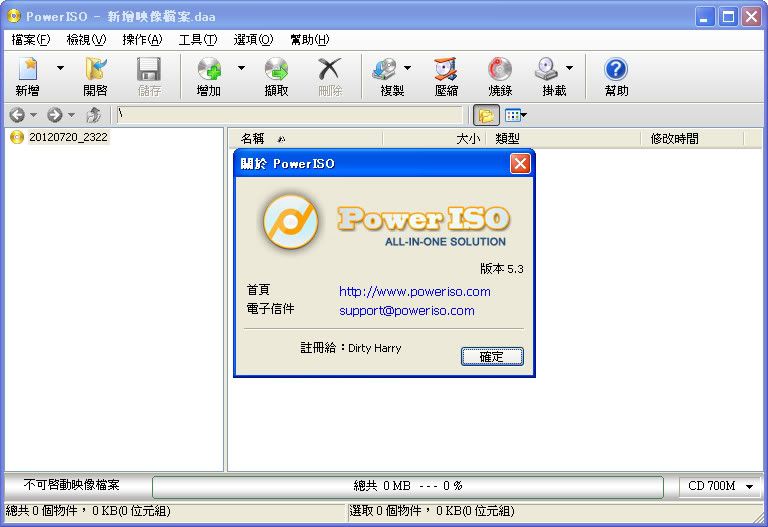
[版本語言] v5.3.0.0 繁中(多語言)版
[官方網頁] www.poweriso.com
[隨身封裝] 7z mediafire (4.8 MB)
[隨身免裝] 7z mediafire (2.3 MB)
[解壓密碼] 無
[儲放時間] 免空限制 - 30 天無人下載自動刪除
[軟體概要] ISO 檔案處理/製作工具軟體


PowerISO is a powerful CD / DVD / BD image file processing tool, which allows you to open, extract, burn, create, edit, compress, encrypt, split and convert ISO files, and mount ISO files with internal virtual drive. It can process almost all CD / DVD / BD image files including ISO and BIN files. PowerISO provides an all-in-one solution. You can do every thing with your ISO files and disc image files.

Main Features:
-Support almost all CD / DVD / BD-ROM image file formats (ISO, BIN, NRG, CDI, DAA and so on).
What is DAA file? DAA file (Direct-Access-Archive) is an advanced format for image file, which supports some advanced features, such as compression, password protection, and splitting to multiple volumes.
-Open and extract ISO file. You can extract ISO file with a single click.
-Burn ISO file to CD, DVD, or Blu-Ray disc. PowerISO is a professional burning software. With this tool, you can create Audio CD, Data CD, Data DVD, Video DVD or VCD. PowerISO also supports Blu-Ray burning.
-Burn Audio CD from MP3, FLAC, APE, WMA, or BIN files.
-Rip Audio CD to MP3, FLAC, APE, WMA, or BIN files.
-Create ISO file or BIN file from hard disk files or CD / DVD / BD discs.
-Edit ISO image file directly.
-Mount ISO file with internal virtual drive. PowerISO can mount all popular disc image files to built-in virtual drive.
-Convert image files between ISO / BIN and other formats. PowerISO can not only convert BIN to ISO, but also convert almost all image file formats to standard ISO image file.
-Create bootable USB drive. PowerISO allows you to setup Windows through USB drive.
-Make bootable ISO file and create bootable CD, DVD disc.
-Support both 32-bit and 64-bit Windows.
-Can be used easily. PowerISO supports shell integration, context menu, drag and drop, clipboard copy paste

p.s.1:隨身封裝
1--用WinRaR解壓到任何地方(或USB)為單一隨身版xxx(ThinApp).exe
2--此版為Thinstall封裝製作,解壓後無法再次解壓
3--已加註容許32位元的軟體執行於64位元,內附額外必要文件


p.s.2:隨身免裝
1--用WinRaR解壓到任何地方(或USB)為單一Portable_xxx.exe
2--此版為WinRaR壓縮製作,也可再用WinRAR將exe檔再次解壓為目錄
3--內附必要文件與說明

2012年6月2日 星期六

Portable PowerISO 5.2 MultiLang

[軟體名稱] PowerISO
[版本語言] v5.2 繁中(多語言)版
[官方網頁] www.poweriso.com
[隨身封裝] 7z mediafire (4.8 MB)
[隨身免裝] 7z mediafire (2.6 MB)
[解壓密碼] 無
[儲放時間] 免空限制 - 30 天無人下載自動刪除
[軟體概要] ISO 檔案處理/製作工具軟體


PowerISO is a powerful CD / DVD / BD image file processing tool, which allows you to open, extract, burn, create, edit, compress, encrypt, split and convert ISO files, and mount ISO files with internal virtual drive. It can process almost all CD / DVD / BD image files including ISO and BIN files. PowerISO provides an all-in-one solution. You can do every thing with your ISO files and disc image files.

Main Features:
-Support almost all CD / DVD / BD-ROM image file formats (ISO, BIN, NRG, CDI, DAA and so on).
What is DAA file? DAA file (Direct-Access-Archive) is an advanced format for image file, which supports some advanced features, such as compression, password protection, and splitting to multiple volumes.
-Open and extract ISO file. You can extract ISO file with a single click.
-Burn ISO file to CD, DVD, or Blu-Ray disc. PowerISO is a professional burning software. With this tool, you can create Audio CD, Data CD, Data DVD, Video DVD or VCD. PowerISO also supports Blu-Ray burning.
-Burn Audio CD from MP3, FLAC, APE, WMA, or BIN files.
-Rip Audio CD to MP3, FLAC, APE, WMA, or BIN files.
-Create ISO file or BIN file from hard disk files or CD / DVD / BD discs.
-Edit ISO image file directly.
-Mount ISO file with internal virtual drive. PowerISO can mount all popular disc image files to built-in virtual drive.
-Convert image files between ISO / BIN and other formats. PowerISO can not only convert BIN to ISO, but also convert almost all image file formats to standard ISO image file.
-Create bootable USB drive. PowerISO allows you to setup Windows through USB drive.
-Make bootable ISO file and create bootable CD, DVD disc.
-Support both 32-bit and 64-bit Windows.
-Can be used easily. PowerISO supports shell integration, context menu, drag and drop, clipboard copy paste

p.s.1:隨身封裝
1--用WinRaR解壓到任何地方(或USB)為單一隨身版xxx(ThinApp).exe
2--此版為Thinstall封裝製作,解壓後無法再次解壓
3--已加註容許32位元的軟體執行於64位元,內附額外必要文件


p.s.2:隨身免裝
1--用WinRaR解壓到任何地方(或USB)為單一Portable_xxx.exe
2--此版為WinRaR壓縮製作,也可再用WinRAR將exe檔再次解壓為目錄
3--內附必要文件與說明

2012年4月24日 星期二

Portable PowerISO 5.1 MultiLang

[軟體名稱] PowerISO
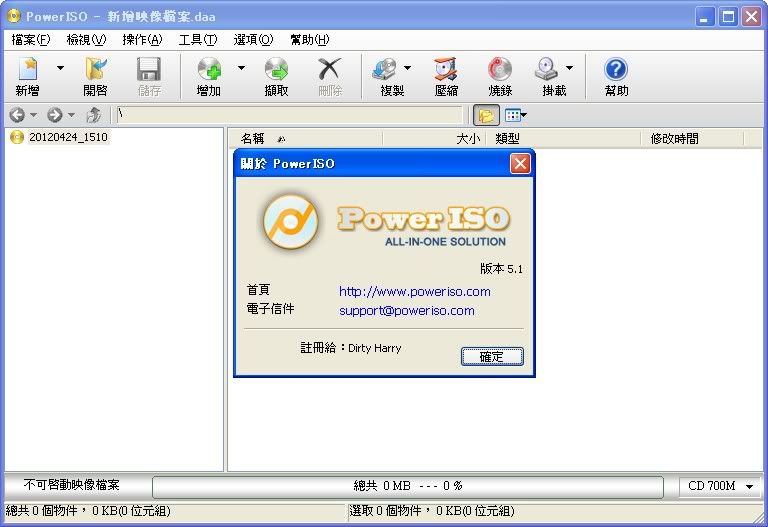
[版本語言] v5.1 繁中(多語言)版
[官方網頁] www.poweriso.com
[隨身封裝] 7z mediafire 或 sendspace (4.8 MB)
[隨身免裝] 7z mediafire 或 sendspace (2.6 MB)
[解壓密碼] 無
[儲放時間] 免空限制 - 30 天無人下載自動刪除
[軟體概要] ISO 檔案處理/製作工具軟體


PowerISO is a powerful CD / DVD / BD image file processing tool, which allows you to open, extract, burn, create, edit, compress, encrypt, split and convert ISO files, and mount ISO files with internal virtual drive. It can process almost all CD / DVD / BD image files including ISO and BIN files. PowerISO provides an all-in-one solution. You can do every thing with your ISO files and disc image files.

Main Features:
-Support almost all CD / DVD / BD-ROM image file formats (ISO, BIN, NRG, CDI, DAA and so on).
What is DAA file? DAA file (Direct-Access-Archive) is an advanced format for image file, which supports some advanced features, such as compression, password protection, and splitting to multiple volumes.
-Open and extract ISO file. You can extract ISO file with a single click.
-Burn ISO file to CD, DVD, or Blu-Ray disc. PowerISO is a professional burning software. With this tool, you can create Audio CD, Data CD, Data DVD, Video DVD or VCD. PowerISO also supports Blu-Ray burning.
-Burn Audio CD from MP3, FLAC, APE, WMA, or BIN files.
-Rip Audio CD to MP3, FLAC, APE, WMA, or BIN files.
-Create ISO file or BIN file from hard disk files or CD / DVD / BD discs.
-Edit ISO image file directly.
-Mount ISO file with internal virtual drive. PowerISO can mount all popular disc image files to built-in virtual drive.
-Convert image files between ISO / BIN and other formats. PowerISO can not only convert BIN to ISO, but also convert almost all image file formats to standard ISO image file.
-Create bootable USB drive. PowerISO allows you to setup Windows through USB drive.
-Make bootable ISO file and create bootable CD, DVD disc.
-Support both 32-bit and 64-bit Windows.
-Can be used easily. PowerISO supports shell integration, context menu, drag and drop, clipboard copy paste

p.s.1:隨身封裝
1--用WinRaR解壓到任何地方(或USB)為單一隨身版xxx(ThinApp).exe
2--此版為Thinstall封裝製作,解壓後無法再次解壓
3--已加註容許32位元的軟體執行於64位元,內附額外必要文件


p.s.2:隨身免裝
1--用WinRaR解壓到任何地方(或USB)為單一Portable_xxx.exe
2--此版為WinRaR壓縮製作,也可再用WinRAR將exe檔再次解壓為目錄
3--內附必要文件與說明

2012年2月15日 星期三

Portable PowerISO 5.0 MultiLang

[軟體名稱] PowerISO
[版本語言] v5.0 繁中(多語言)版
[官方網頁] www.poweriso.com
[隨身封裝] 7z mediafire (4.3 MB - 30天免空下載限制)
[隨身免裝] 7z mediafire (2.5 MB - 30天免空下載限制)
[解壓密碼] 無
[軟體概要] ISO 檔案處理/製作工具軟體


PowerISO is a powerful CD / DVD / BD image file processing tool, which allows you to open, extract, burn, create, edit, compress, encrypt, split and convert ISO files, and mount ISO files with internal virtual drive. It can process almost all CD / DVD / BD image files including ISO and BIN files. PowerISO provides an all-in-one solution. You can do every thing with your ISO files and disc image files.

Main Features:
-Support almost all CD / DVD / BD-ROM image file formats (ISO, BIN, NRG, CDI, DAA and so on).
What is DAA file? DAA file (Direct-Access-Archive) is an advanced format for image file, which supports some advanced features, such as compression, password protection, and splitting to multiple volumes.
-Open and extract ISO file. You can extract ISO file with a single click.
-Burn ISO file to CD, DVD, or Blu-Ray disc. PowerISO is a professional burning software. With this tool, you can create Audio CD, Data CD, Data DVD, Video DVD or VCD. PowerISO also supports Blu-Ray burning.
-Burn Audio CD from MP3, FLAC, APE, WMA, or BIN files.
-Rip Audio CD to MP3, FLAC, APE, WMA, or BIN files.
-Create ISO file or BIN file from hard disk files or CD / DVD / BD discs.
-Edit ISO image file directly.
-Mount ISO file with internal virtual drive. PowerISO can mount all popular disc image files to built-in virtual drive.
-Convert image files between ISO / BIN and other formats. PowerISO can not only convert BIN to ISO, but also convert almost all image file formats to standard ISO image file.
-Create bootable USB drive. PowerISO allows you to setup Windows through USB drive.
-Make bootable ISO file and create bootable CD, DVD disc.
-Support both 32-bit and 64-bit Windows.
-Can be used easily. PowerISO supports shell integration, context menu, drag and drop, clipboard copy paste

p.s.1:隨身封裝
1--用WinRaR解壓到任何地方(或USB)為單一隨身版xxx(ThinApp).exe
2--此版為Thinstall封裝製作,解壓後無法再次解壓
3--已加註容許32位元的軟體執行於64位元


p.s.2:隨身免裝
1--用WinRaR解壓到任何地方(或USB)為單一Portable_xxx.exe
2--此版為WinRaR壓縮製作,也可再用WinRAR將exe檔再次解壓為目錄
3--內附必要文件與說明

2011年11月16日 星期三

Portable PowerISO 4.9 MultiLang

[軟體名稱] PowerISO
[版本語言] v4.9 繁中(多語言)版
[官方網頁] http://www.poweriso.com/
[隨身封裝] 7z MegaUpload下載 或 SendSpace下載 (4.6 MB - 30天免空下載限制)
[隨身免裝] 7z MegaUpload下載 或 SendSpace下載 (3.4 MB - 30天免空下載限制)
[解壓密碼] 無
[軟體概要] ISO 檔案處理/製作工具軟體


PowerISO is a powerful CD / DVD / BD image file processing tool, which allows you to open, extract, burn, create, edit, compress, encrypt, split and convert ISO files, and mount ISO files with internal virtual drive. It can process almost all CD / DVD / BD image files including ISO and BIN files. PowerISO provides an all-in-one solution. You can do every thing with your ISO files and disc image files.

Main Features:
-Support almost all CD / DVD / BD-ROM image file formats (ISO, BIN, NRG, CDI, DAA and so on).
What is DAA file? DAA file (Direct-Access-Archive) is an advanced format for image file, which supports some advanced features, such as compression, password protection, and splitting to multiple volumes.
-Open and extract ISO file. You can extract ISO file with a single click.
-Burn ISO file to CD, DVD, or Blu-Ray disc. PowerISO is a professional burning software. With this tool, you can create Audio CD, Data CD, Data DVD, Video DVD or VCD. PowerISO also supports Blu-Ray burning.
-Burn Audio CD from MP3, FLAC, APE, WMA, or BIN files.
-Rip Audio CD to MP3, FLAC, APE, WMA, or BIN files.
-Create ISO file or BIN file from hard disk files or CD / DVD / BD discs.
-Edit ISO image file directly.
-Mount ISO file with internal virtual drive. PowerISO can mount all popular disc image files to built-in virtual drive.
-Convert image files between ISO / BIN and other formats. PowerISO can not only convert BIN to ISO, but also convert almost all image file formats to standard ISO image file.
-Create bootable USB drive. PowerISO allows you to setup Windows through USB drive.
-Make bootable ISO file and create bootable CD, DVD disc.
-Support both 32-bit and 64-bit Windows.
-Can be used easily. PowerISO supports shell integration, context menu, drag and drop, clipboard copy paste

p.s.1:隨身封裝
1--用WinRaR解壓到任何地方(或USB)為單一隨身版xxx(ThinApp).exe
2--此版為Thinstall封裝製作,解壓後無法再次解壓
3--已加註容許32位元的軟體執行於64位元
4--內附必要文件


p.s.2:隨身免裝
1--用WinRaR解壓到任何地方(或USB)為單一Portable_xxx.exe
2--此版為AutoRUn壓縮製作,也可再用WinRAR將exe檔再次解壓為目錄
3--內附必要文件與說明